Debugging
Debug mode is enabled by setting the debug field of DeviceInfo or InstanceInfo to true.
It requires VK_EXT_debug_utils and VK_EXT_private_data support. Construction fails in debug mode
when those requirements are unavailable.
A compatible Vulkan SDK is required for validation layers and debugging tools.
Important
The installed Vulkan SDK version must be at least v1.3.281.
While in debug mode vk-graph watches for errors, warnings, and certain performance warnings
emitted from any currently enabled Vulkan debug application layers. Emitted events will cause the
active thread to be parked and log a message indicating how to attach a debugger.
RenderDoc Labels
When debug mode is active, vk-graph emits Vulkan debug-utils object names and command label regions
for RenderDoc and similar tools.
Resources and pipelines expose a setter and builder-style helper:
#![allow(unused)]
fn main() {
let buffer = Buffer::create(
    device,
    BufferInfo::device_mem(1024, vk::BufferUsageFlags::STORAGE_BUFFER),
)?.with_debug_name("work buffer");

buffer.set_debug_name("renamed work buffer");
}
Pipeline debug names are propagated to internal Vulkan objects such as pipeline layouts and descriptor set layouts. Command names become debug label regions during submission recording. Swapchain images are also named by index.
Logging
vk-graph uses log v0.4 for low-overhead logging.
To enable logging, set the RUST_LOG environment variable to trace, debug, info, warn or
error and initialize the logging provider of your choice. Examples use pretty_env_logger.
You may also filter messages, for example:
RUST_LOG=vk_graph::driver=trace,vk_graph=warn cargo run --example ray_trace
TRACE vk_graph::driver::instance > created a Vulkan instance
DEBUG vk_graph::driver::physical_device > physical device: NVIDIA GeForce RTX 3090
DEBUG vk_graph::driver::physical_device > extension "VK_KHR_16bit_storage" v1
DEBUG vk_graph::driver::physical_device > extension "VK_KHR_8bit_storage" v1
DEBUG vk_graph::driver::physical_device > extension "VK_KHR_acceleration_structure" v13
...
Performance Profiling
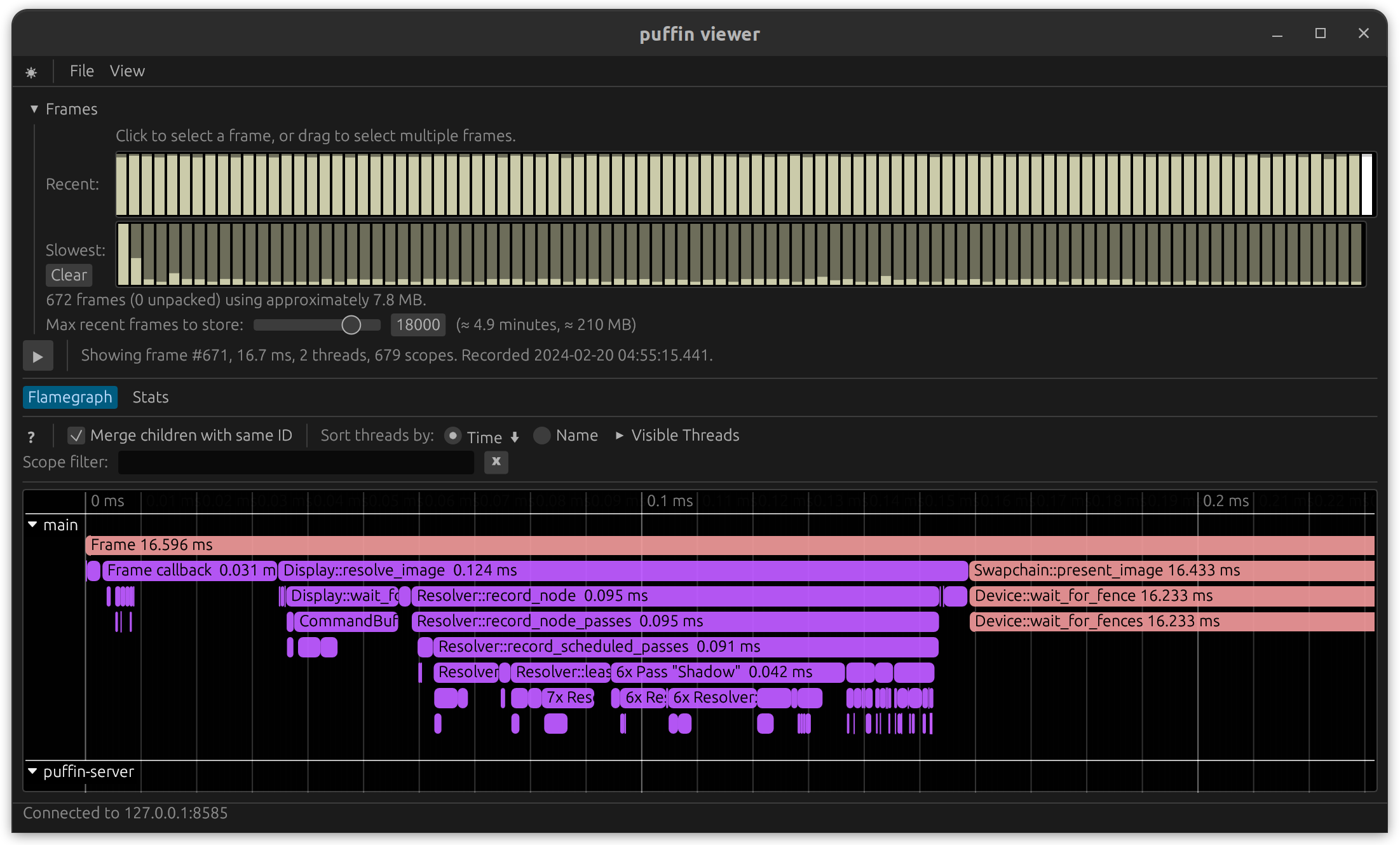
vk-graph uses profiling v1.0 and supports multiple profiling providers. When
not in use profiling has zero cost.
To enable profiling, compile with one of the profile-with-* features enabled and initialize the
profiling provider of your choice.
Example using puffin:
cargo run --features profile-with-puffin --release --example vsm_omni
Comparing Results
Always profile code using a release-mode build.
You may need to disable CPU thermal throttling in order to get consistent results on some platforms. The inconsistent results are certainly valid, but they do not help in accurately measuring potential changes. This may be done on Intel Linux machines by modifying the Intel P-State driver:
echo 100 | sudo tee /sys/devices/system/cpu/intel_pstate/min_perf_pct
(Source )
checked Feature
vk-graph provides a checked Cargo feature that enables runtime validation of common
misuse patterns that the VVL cannot catch:
- Missing
resource_access/shader_resource_accessdeclarations before using a resource update_bufferand command-levelcopy_bufferbuffer bounds- Valid image aspect masks and subresource ranges
- Cross-graph node ownership checks
The checked feature is enabled by default — it activates in both debug and release builds.
Disable it for zero-overhead release builds that have been validated:
With checked disabled, vk-graph no longer fail-fast validates that a node handle belongs to the
graph it is used with. That remains invalid usage; the caller is responsible for avoiding it.
cargo run --no-default-features --features loaded,parking_lot --release
Vulkan Validation Layer
Vulkan is a zero-overhead API — the specification does not mandate that drivers validate every dynamic state precondition. The Vulkan Validation Layer (VVL) exists for that purpose during development.
vk-graph does not add eager runtime assertions for conditions that the VVL already catches (e.g.
missing extensions, invalid dynamic state, incorrect usage patterns). Doing so would burn CPU cycles
in release builds, duplicate effort, and create a false sense of safety for conditions the caller
cannot reasonably act on at the call site.
This is different from normal application code: incorrect API usage in graphics programming produces undefined behavior and the hardware silently consumes invalid calls. The right place to catch these mistakes is during development with the VVL, not with eager checks in every function.
When running with validation enabled, set VK_GRAPH_SKIP_VALIDATION_PARK=1 so validation errors
fail fast instead of parking the process waiting for a debugger.
Helpful tools
- VulkanSDK
(Required when setting
debugtotrue) - NVIDIA: nvidia-smi
- AMD: RadeonTop
- RenderDoc